Dashboard
Dashboard
The Dashboard is the first thing you see when you open a mesh. It gives you a quick overview of your mesh’s activity and shortcuts to common tasks.
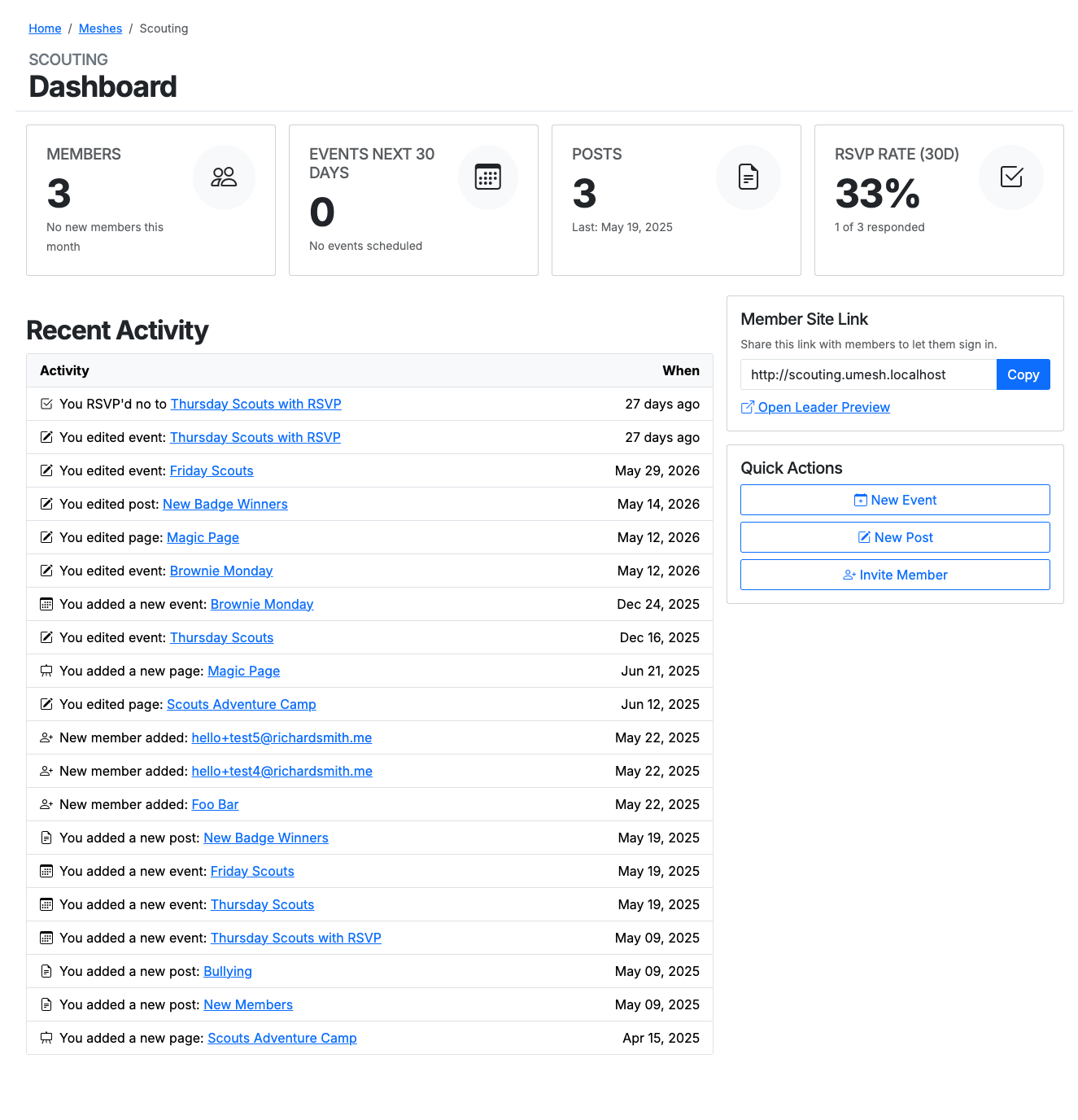
At‑a‑glance stats
Along the top are four summary cards:
- Members — how many members your mesh has, and how many joined this month.
- Events Next 30 Days — the number of events scheduled in the coming month.
- Posts — how many posts you’ve published, and the date of the most recent one.
- RSVP Rate (30d) — the share of members who responded to recent events that asked for RSVPs.
Recent Activity
A running feed of what’s happened in your mesh, newest first — pages and posts you’ve added or edited, events created or changed, RSVPs, and new members joining. Each entry links straight to the item, with the date (or “X days ago” for recent changes) on the right.
Member Site Link
The link members use to reach your mesh and sign in. Use Copy to grab it, or Open Leader Preview to see the mesh the way a member would.
Quick Actions
Shortcut buttons for the things you do most:
- New Event
- New Post
- Invite Member
Last updated on